Dokumentácia
Features, use cases, knowledge base
Features, use cases, knowledge base
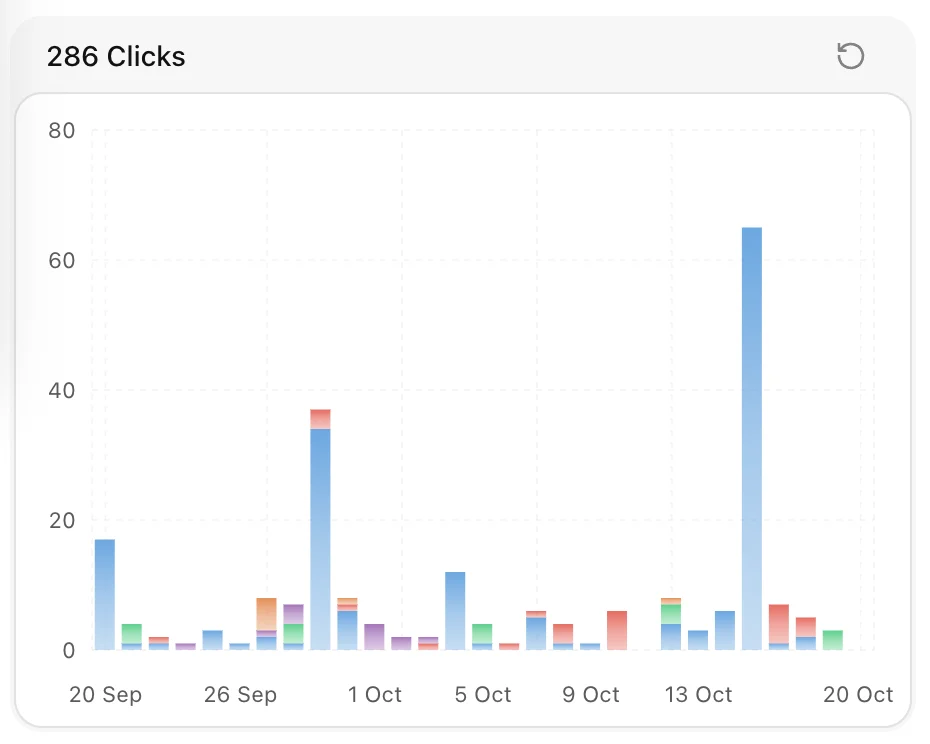
Track and measure the performance of your short links and domains with detailed analytics. Gain insights into user locations, operating systems, browsers, referrers, and click times to better understand your audience.
You can analyze data over a specific time period by choosing from predefined ranges or creating your own:
If you need a different range, select Custom to define your own start and end dates.
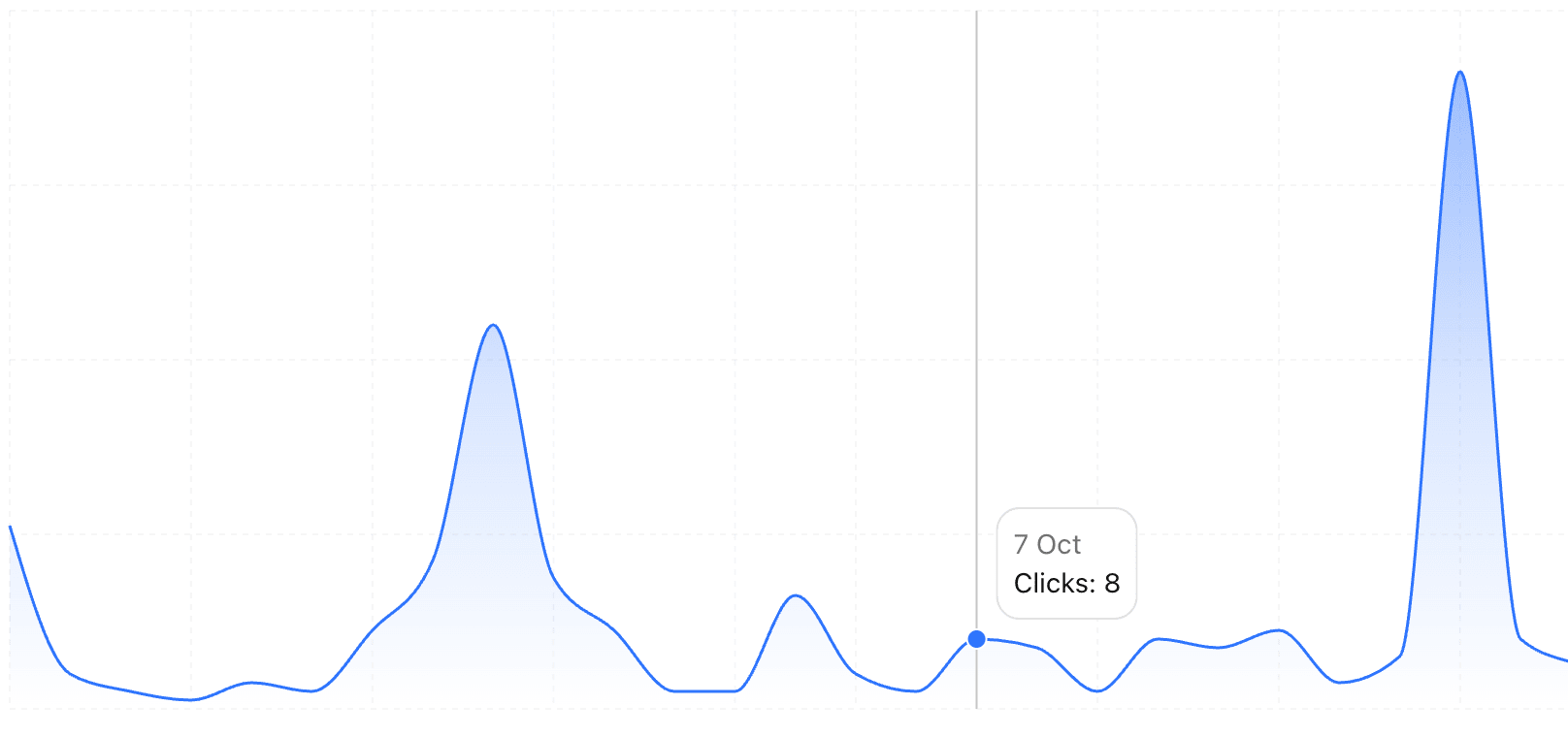
The analytics chart visualizes click activity over time for a selected domain or link.
Hover over any point on the line graph to view the exact date and number of clicks for that period.
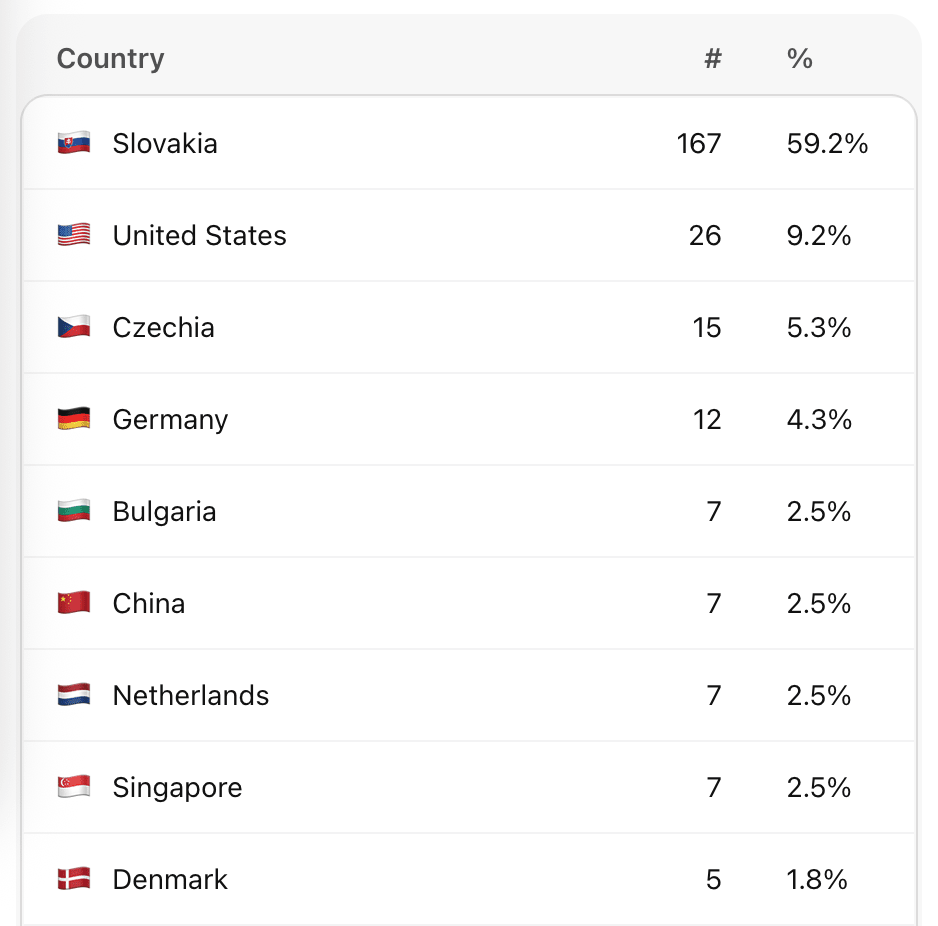
Use the Top Charts section to explore the most active links, traffic sources, and user attributes. These insights help you identify trends, evaluate campaign success, and refine your targeting strategy.
You can analyze:
These charts help you evaluate the effectiveness of your marketing efforts by analyzing the most common UTM parameters associated with your clicks.
Top mediums – Based on the utm_medium parameter, this shows the types of traffic or channels used.
Examples:
utm_medium=socialutm_medium=paidTop sources – Derived from the utm_source parameter, this highlights where the traffic originated.
Examples:
utm_source=linkedinutm_source=instagramTop campaigns – Based on the utm_campaign parameter, this shows which campaigns generate the most engagement or conversions.
Examples:
utm_campaign=launchutm_campaign=promo-actionThese analytics give you a complete picture of your audience’s behavior and how they interact with your short links.